Every word you type, a learning moment.
DictoBoard is the iOS keyboard with a built-in bilingual dictionary. Instant Chinese definitions appear in the candidate bar as you type — in Messages, Notes, Safari, anywhere. Completely offline.
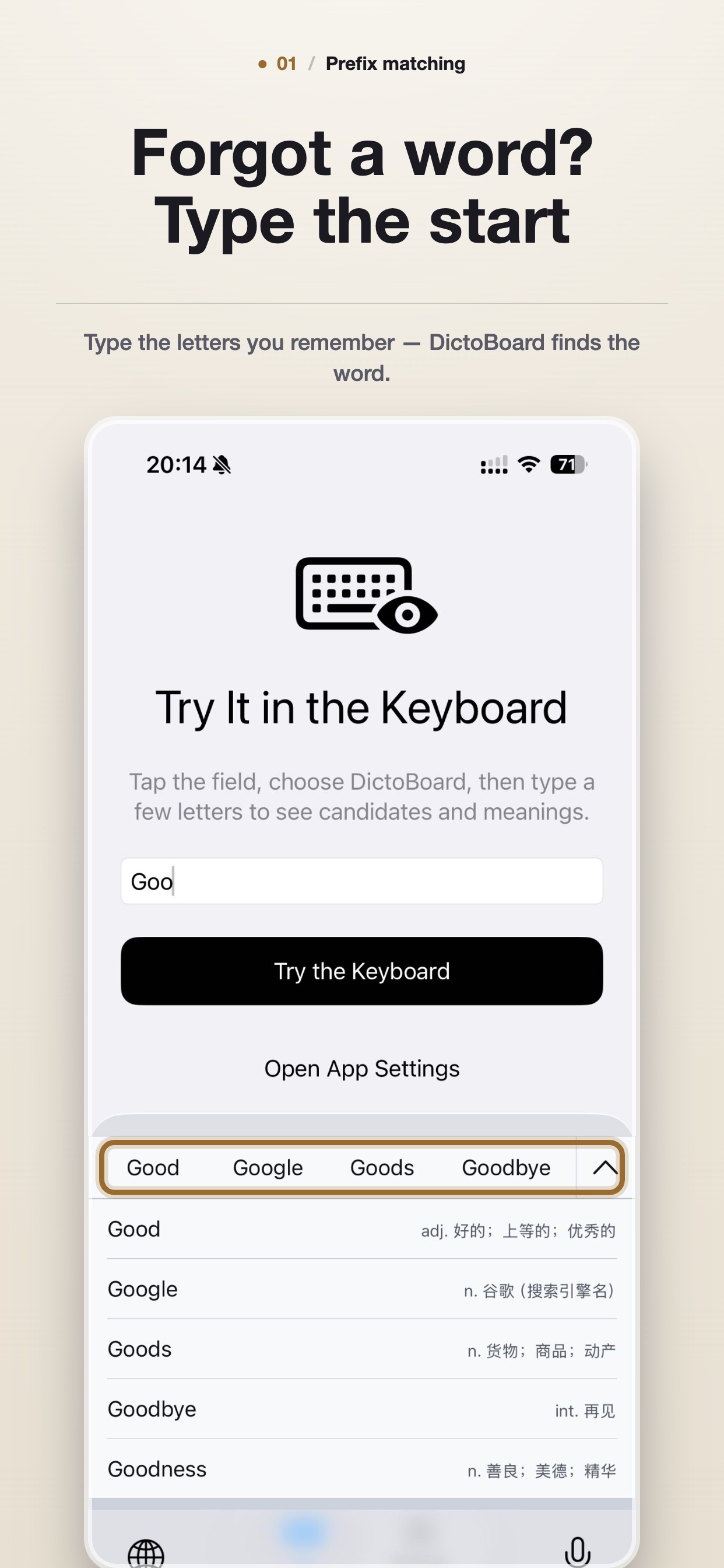
Type a word — see its Chinese meaning instantly. No app switching.
Why DictoBoard
Three things that change how you type.
Learn as you type, in any app
Instant Word Definitions
Type any English word and its Chinese definition appears instantly in the candidate bar — no app switching, no copy-paste, no interruptions. From algorithm to serendipity, build your vocabulary without breaking flow.
Your keystrokes stay on your phone
Fully Offline, Private by Default
Everything runs on-device through a local SQLite dictionary with 210,000+ words. Zero network access for the keyboard — no keystrokes, no words, no data ever leave your phone. The internet is irrelevant.
Feels like the keyboard you already know
Pixel-Perfect iOS Native
Faithfully recreates the native iOS keyboard layout, keycaps, haptics, and sounds. System Dark Mode auto-switches. Adjustable font size. Every detail tuned for the platform.
Privacy
Your keystrokes never leave your phone.
Most keyboards phone home with everything you type. DictoBoard doesn't even ask for network permission. The 210,000+ word dictionary is a local SQLite file. Lookups run in microseconds. No accounts. No telemetry. Just you and your words.
- Zero network access — the keyboard extension has no internet permission.
- Words and definitions queried from on-device SQLite.
- Settings sync stays within App Group containers.
- Full Access enabled solely for App Group shared storage.
See it in action.
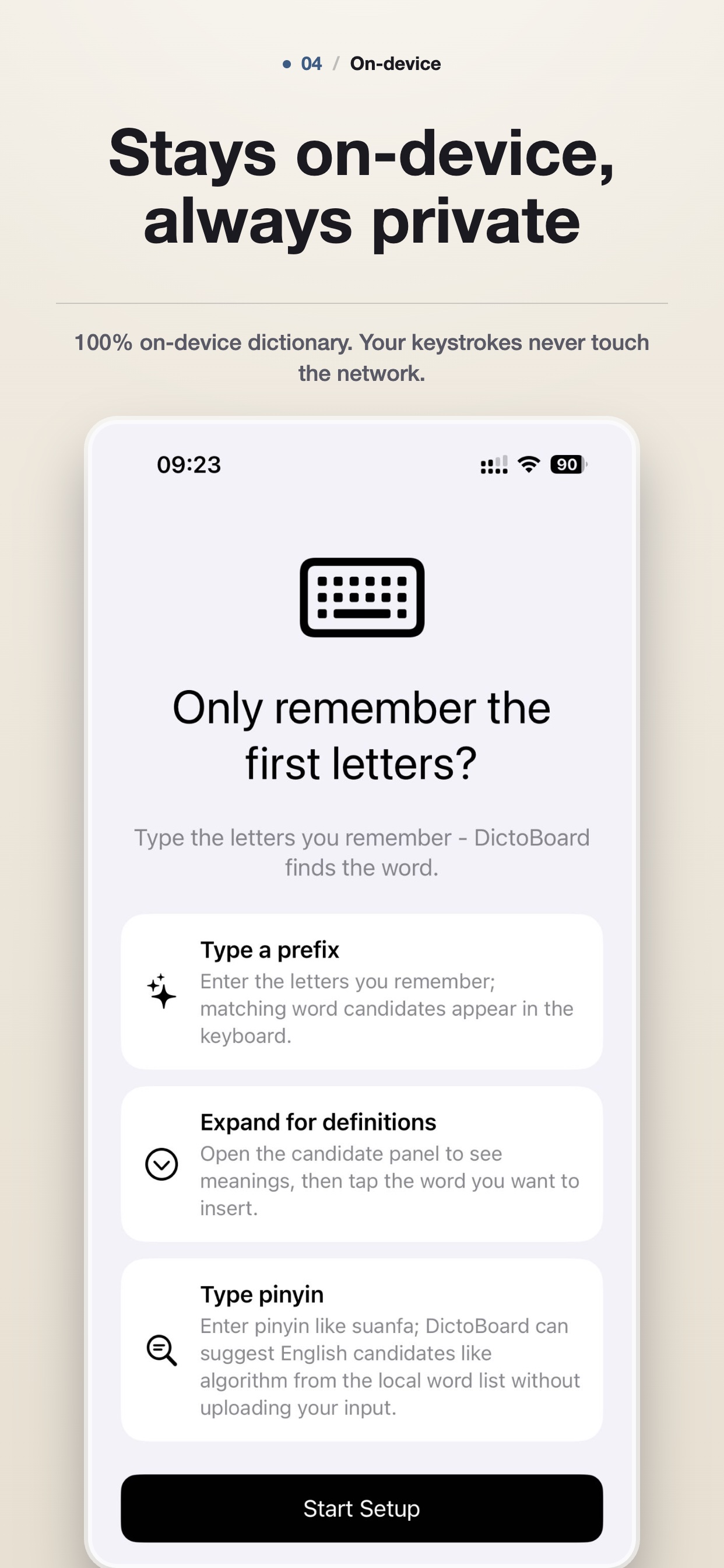
3 Core Powers
Prefix search · one-tap definitions · pinyin recall. That's it.
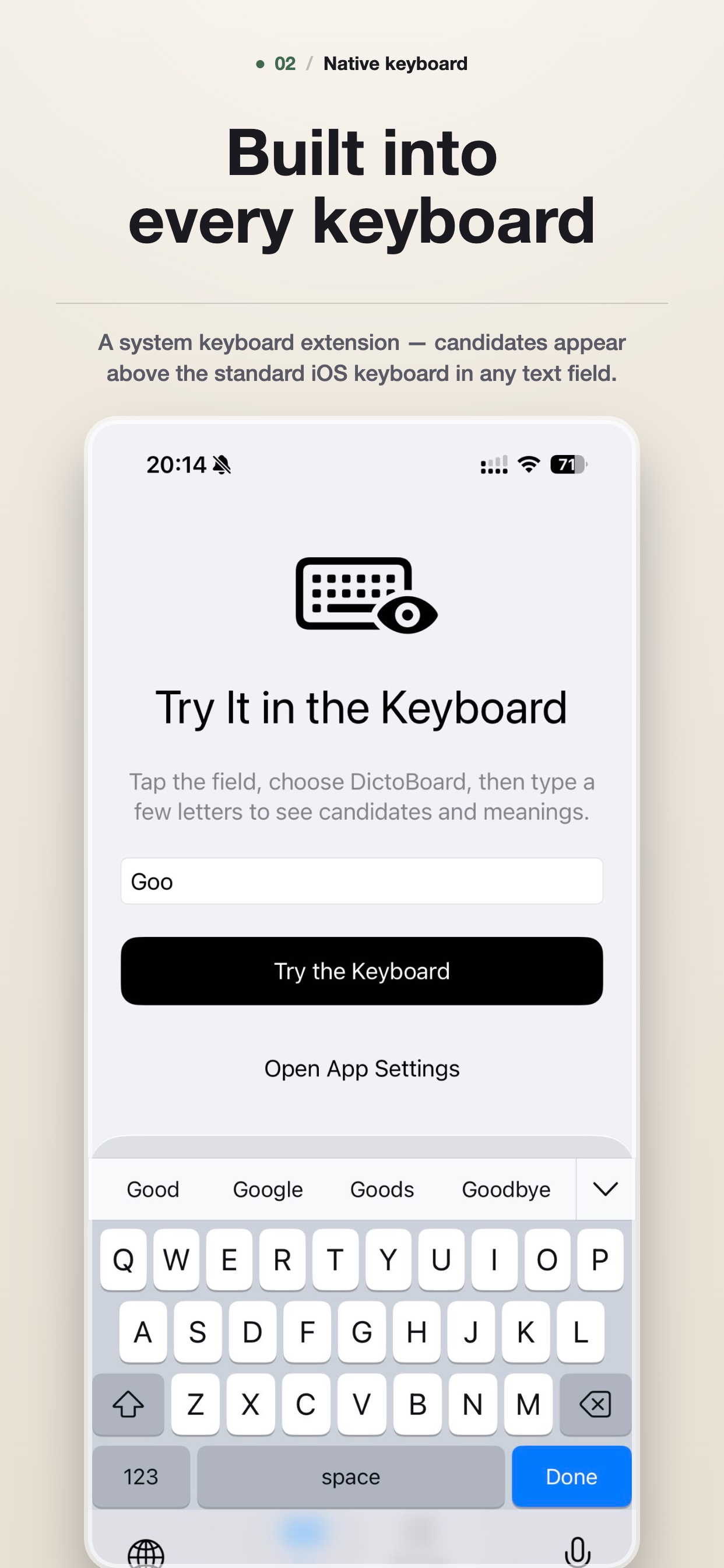
Feels Like iOS
Same layout, haptics, and authentic key sounds. Dark Mode ready.
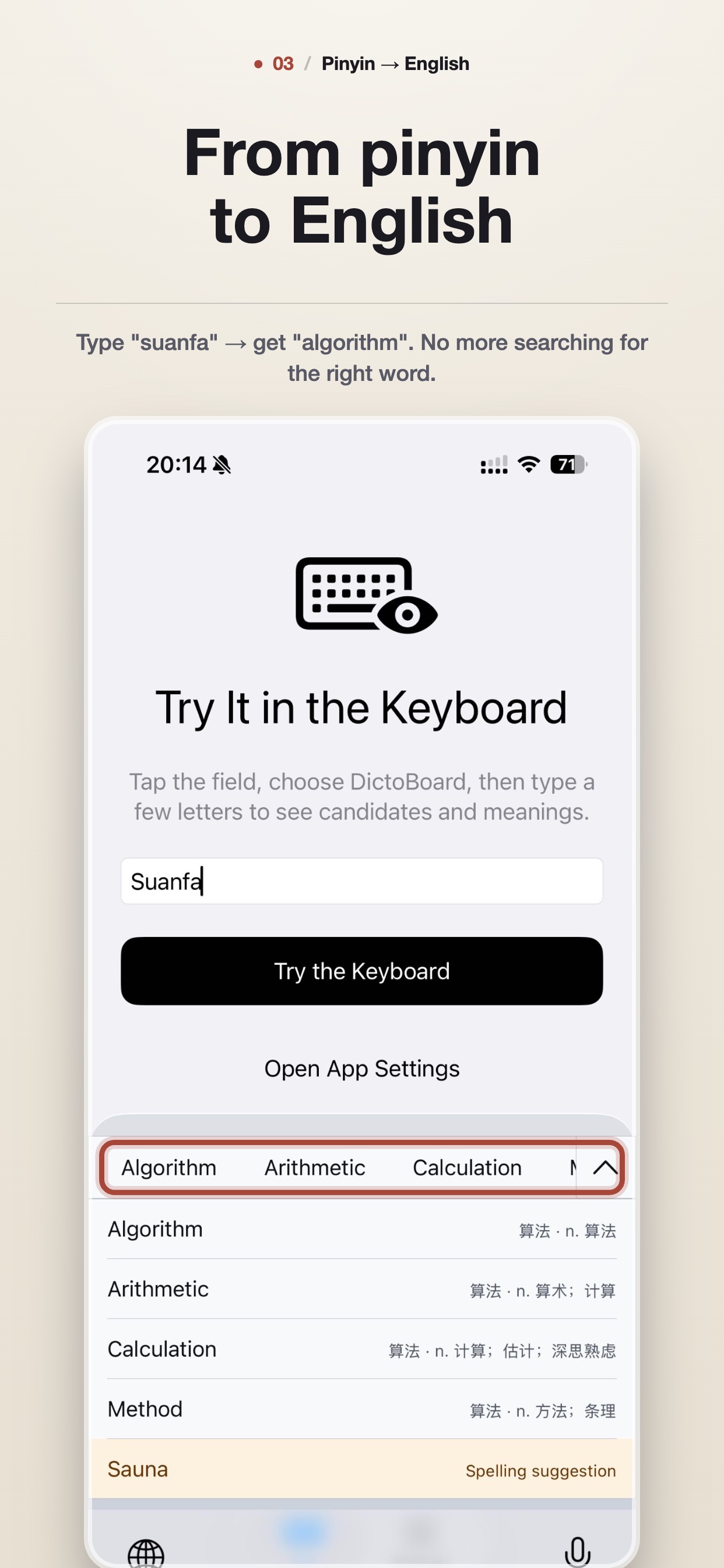
Pinyin Recall
Remember the Chinese? Type Suanfa → get Algorithm.
Everything a serious keyboard should do.
Beyond definitions — every typing feature you expect, all running on-device.
Smart Autocorrect
High-confidence typo fixes on space or punctuation, on-device.
Pinyin Recall
Type Chinese pinyin to find the English word on the tip of your tongue.
Smart Punctuation
Auto-converts quotes, em dashes, and ellipsis as you type.
Haptic Feedback
Subtle vibration on every key press and word selection.
Key Click Sounds
Authentic iOS system keyboard click, independent from media volume.
Auto-Capitalization
Sentence-start detection with correct casing preserved.
Expandable Candidates
20 inline · 80 expanded · 120 with Show More. Smooth scrolling.
Shortcut Replacements
Type brb → be right back. Your rules, your device.
Personalized Learning
Optional local ranking learns from your word choices over time.
5 Interface Languages
English · 简体中文 · 繁體中文 · 日本語 · 한국어
On-demand Packs
Download definition packs only for languages you use. Save storage.
Developer Panel
Double-tap the version label for diagnostics and pipeline debug.
Ready in under a minute.
- 1
Get DictoBoard
Download from the App Store. The app guides you through setup.
- 2
Add the keyboard
iOS Settings → General → Keyboard → Keyboards → Add DictoBoard.
- 3
Allow Full Access
Enable so the keyboard can read the on-device dictionary and settings.
- 4
Start typing
Tap 🌐 to switch. Every word you type now comes with a definition.
Start learning with every word.
iOS 17.0 or later · English input · Full Access recommended for App Group storage.